I really enjoy shooting construction progress photos and video. Don’t get me wrong—a glittering new top-shelf resort or cozy uptown bistro can be a joy to capture. But there’s something fascinating and primal about the skeleton of a building with all the systems exposed, and the grit and grime of the trades covering every surface while giant machines move dirt and materials around the site.
But there’s a lot of prep and planning that go into construction shoots. Half the work happens before I ever put a boot on dirt (brown clay here in Southern California), and if I skip that part, the shoot can go sideways fast.
This is Part 1 of a three-part series on what a construction progress shoot actually looks like, start to finish. Today: What’s in the bag, and what’s on my phone.
Part 2 gets into what actually happens once I'm on site: The walk I do before I unpack a single piece of gear, and the hazards that are easy to miss if you're only thinking about the shot.
Part 3 covers what it takes to stay safe, visible, and prepared.
The Bag (or Bags)
Construction shoots aren’t a one-camera-body kind of job. I bring a multi-body camera bag (I love my ThinkTank Streetwalker Harddrive) because I’m switching between wide interior/exterior work and detail shots constantly, and swapping lenses mid-shoot on an active site isn’t always convenient or smart.
A few things that live in that bag specifically because construction has taught me to bring them:
Canon EF-to-RF adapter. I’m a Canon shooter, and my three manual-focus tilt-shift architecture lenses are EF mount (legacy gear, but tack-sharp). My bodies are mirrorless RF models. So that adapter is the only thing standing between “I have my full kit” and “Oh, crap, I guess I’m shooting this on my phone.” It’s a $100 piece of plastic and metal, and it’s also a single point of failure. If it’s not in the bag, there’s no backup plan that gets me a result I want.
That’s really the whole philosophy behind how I pack for a construction shoot. I plan and overplan. Check the bag, then check it again. But no amount of planning eliminates the need for improv. Conditions change mid-shoot, gear occasionally refuses to cooperate, or a section of the building I was promised access to turns out to be locked. The prep isn’t about controlling every variable (that’s unpossible!). It’s about making sure that when something inevitably goes sideways, it’s a small problem instead of a shoot-ending one.
L-bracket. Standard for architecture work, but especially useful when I need to flip fast between horizontal and vertical without having to adjust the (geared) tripod head.
Safety wire. My geared head has failed to clamp before. Once was enough. Some coated safety wire (sailboat enthusiasts know what I’m talking about) looped around the camera and tripod head ensures a slip doesn’t mean a camera hitting concrete.
Rocket blower. My previous DSLR had a mirror covering the sensor. My mirrorless bodies don’t. Construction sites are dust factories, so this comes out every time I swap lenses.
Water, snacks, baby wipes. Pretty unglamorous. A lot of active sites don’t have running water available, and you learn that the hard way exactly once. It’s also common for industrial park job sites to be miles from convenient lunch spots.
Drone landing pad. Job sites rarely offer clean, flat, debris-free surfaces. Launching and landing off a portable, weighted pad keeps dust and weeds out of the props and motors and off the camera lens.
What’s On My Phone
Three apps do most of the heavy lifting before I ever fly:
Air Control, for LAANC authorization. If I’m flying in controlled airspace, I need permission logged days before the drone leaves the ground, not requested after the fact.
Google Maps, for the obvious reasons, plus scoping the site surroundings ahead of time: nearby freeways, powerlines, hospitals (helicopter traffic), anything that’ll matter once I’m airborne.
Sun Surveyor, to know exact sun and shadow positions at any given day and time.
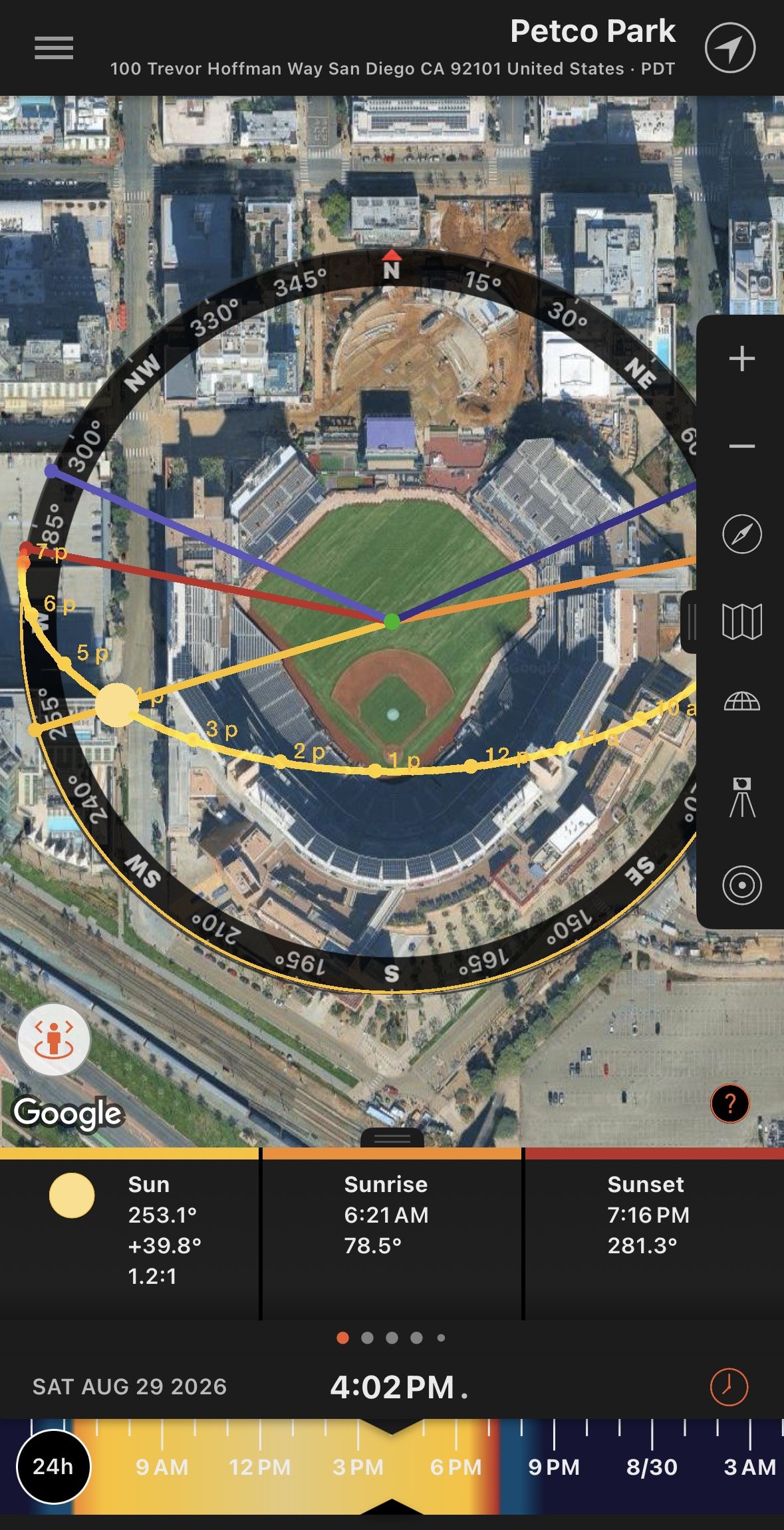
iOS app Sun Surveyor - essential for exterior photography.
Brief rant: There is no solid iOS app for scanning nearby drone activity. Apple restricts wifi-scanning apps, which makes this harder than it should be. To be fair, even the better Android options can’t catch everything, since homemade drones and older models that don’t broadcast Remote ID over Bluetooth or wifi are invisible to any scanner.
Here’s why I wish this was available. On one recent construction shoot, a neighbor must have seen a construction site full of interesting equipment and decided to fly their own drone over for a closer look. They had no idea I was already flying. One of the site supers walked over and asked me, confused, “which drone is yours?” It took a minute of back-and-forth before we figured out there were two drones over the site and only one of them was mine. Nobody was at fault. It’s just a reminder that airspace over an active job site isn’t as controlled as it feels like it should be. Part of my job is staying aware of that.
It’s Gotta be the Shoes
I log a whole bunch of steps on a construction shoot. Shoes can be the difference between a comfy, productive shoot and an OSHA incident report (guess how much superintendents enjoy those).
I wear puncture-proof, steel-toe, non-slip boots on every shoot. My current favorites are a pair of Steve Madden side-zipper boots with extra cushioned insoles. I drive to the site in a separate pair of shoes and change once I’m there. Yeah, I know it sounds fussy. But spend four hours driving in steel toes and I guarantee you’ll do the same thing.
Next Up
Part 2 gets into what actually happens once I’m on site: the walk I do before I unpack a single piece of gear, and the hazards that are easy to miss if you’re only thinking about the shot.